

Create an account
Create a VIRTUX account to save scenes, choose an avatar, upload assets, communicate, and receive permissions.
Before you start
- Have access to an email address you can use for the account.
- Choose a display name that other visitors will recognize.
- If your organization gave you a sign-in method, use that method instead of creating a second account.
Follow these steps
- Open the VIRTUX home page.
- Choose Get started in the top-right corner.
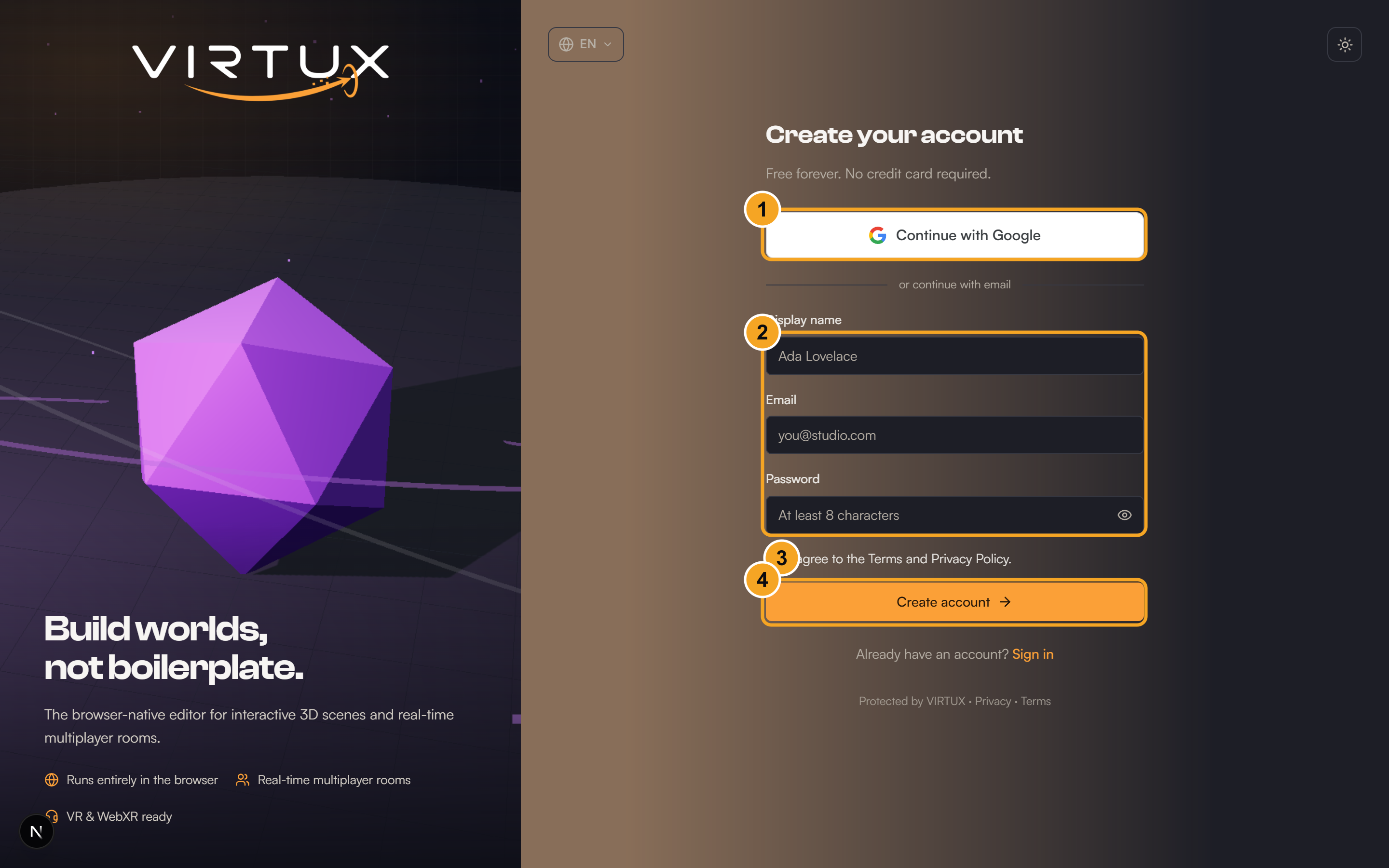
- Enter your display name in the Name field.
- Enter your email address and create a password.
- Review any age or account confirmation shown on the form.
- Choose Create account.
- If email confirmation is requested, open the message from VIRTUX and follow its confirmation link.
- Return to VIRTUX and continue to the Dashboard.
Check that it worked
- Your name appears in the top-right account menu.
- The Dashboard sidebar shows My scenes, My assets, Explore, Statistics, Profile, and Settings.
Useful tips and common mistakes
- Do not create multiple accounts with different sign-in methods unless you intend to keep separate scenes and assets.
- Use Settings later if you need to change your display name or preferred language.
- If registration fails, check every required field and make sure the email is not already in use.