

Choose your avatar
Choose the avatar other visitors will see when you enter a scene.
Before you start
- Sign in to your account.
- Wait for available avatars to finish loading.
Follow these steps
- Open Profile from the Dashboard sidebar.
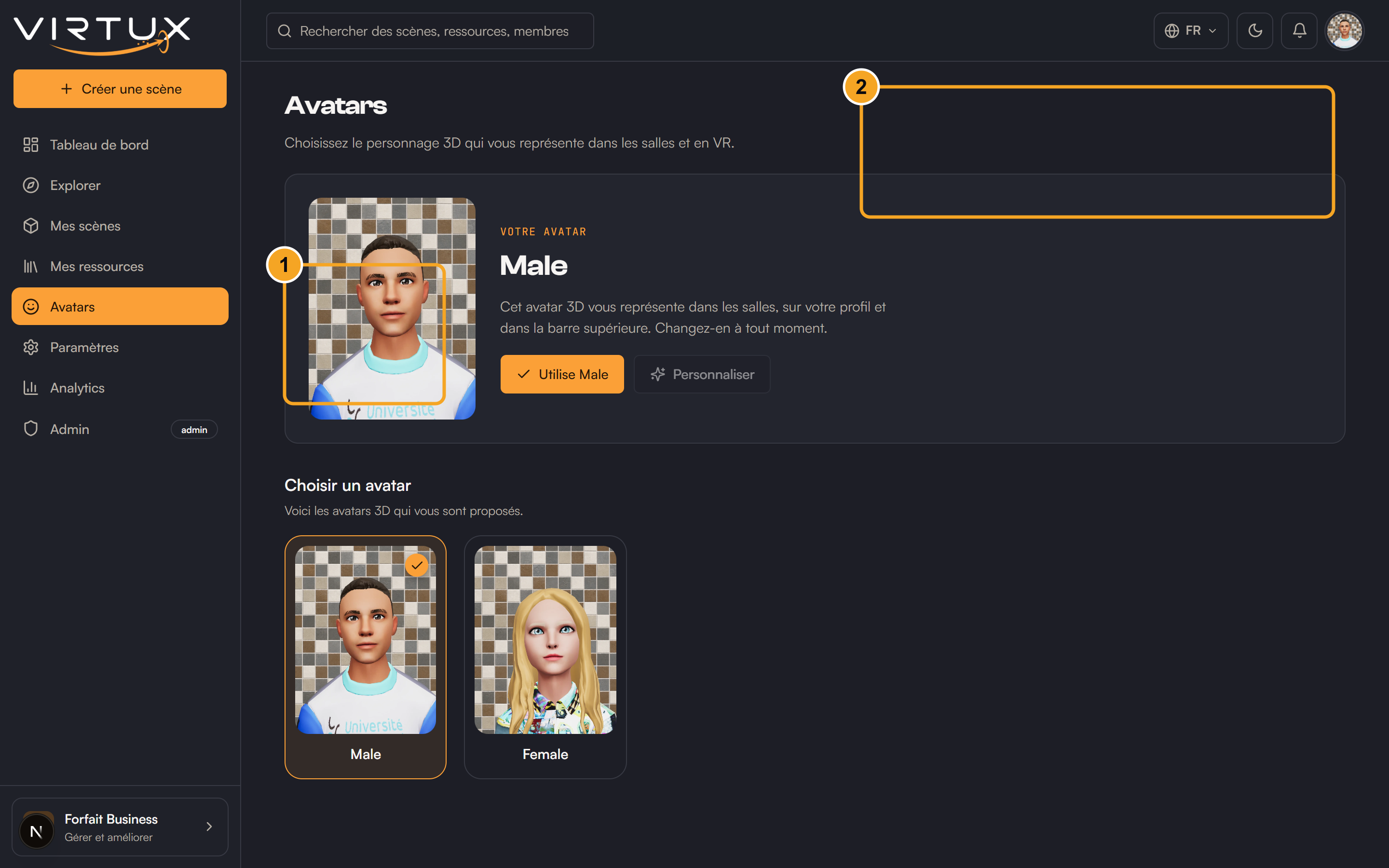
- Scroll to the Avatar section.
- Review the available avatar cards or thumbnails.
- Select the avatar you want to use.
- Wait for the selection to be saved.
- Enter a scene to see the avatar in third-person view.
Check that it worked
- The selected avatar appears on your Profile.
- Your top-bar profile image may update.
- The avatar is used the next time your character loads in a scene.
Useful tips and common mistakes
- Switch to third-person view with C or the FP/TPS control to inspect your avatar.
- If an avatar does not load, select another one and retry after refreshing.