

Change account settings
Change your name, language, theme, notification preferences, and billing options.
Before you start
- Sign in and open Settings.
Follow these steps
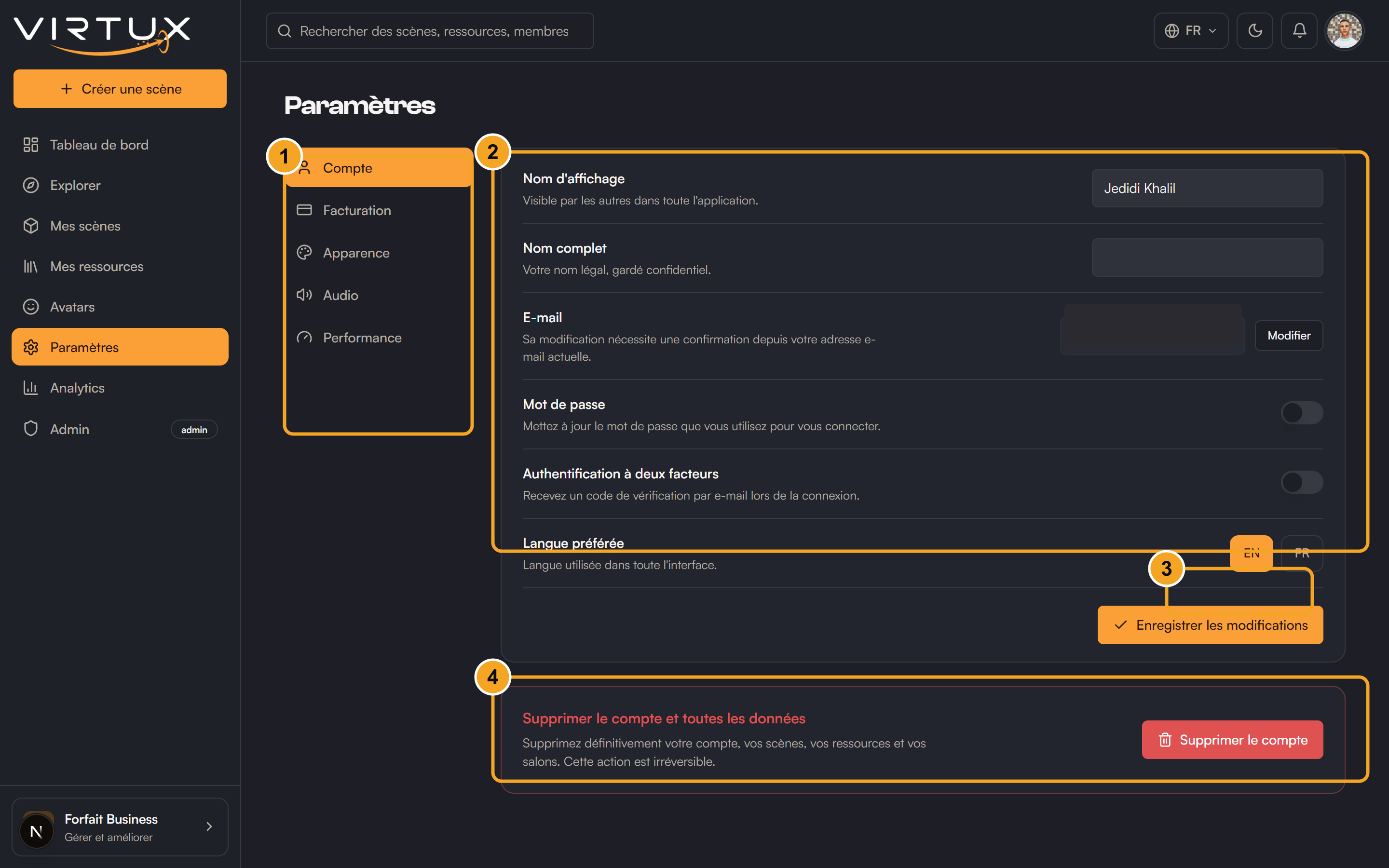
- Open Account.
- Change your display name or preferred language and save.
- Open Billing to review your plan and available subscription actions.
- Open Appearance.
- Choose Light, Dark, or System.
- Open Notifications.
- Turn optional categories on or off.
- Choose Save notifications.
Check that it worked
- Your new name appears in the account menu.
- The interface uses the chosen language and theme.
- Notification categories show the saved state.
Useful tips and common mistakes
- System notifications remain enabled.
- Changing language may also change the locale in the page address.